Microsoft Word doc into Photo Host

I wrote up some instructions for the new style support rods in Microsoft Office Word. It's all on one page. I have a header at the top and there's 2 footnotes at the bottom. I can't for the life of me figure out how to get things over into Photohost. Photohost won't accept it. I keep getting this
Error Report
The following uploads encountered errors:
File Uploads:
File Name/URL Error Message
1. SupportInstructions6.doc Forbidden file extension.


I've called everyone I know and tried everything. Nothing works. Any suggestions? I can't believe this is so user---unfriendly.

Thanks,
Rick
 
Rick, the document would have to be a photo or video to go in photohost.

If you send me the text I can make it a picture and send it back to you so you can post it. I'm not unfriendly. :D
 
Barnyard":xjnzb47n said:
Winfield Dave":xjnzb47n said:
Bill...will photohost take a PDF?
I don't think so because it would have to be sized. However, I can make a PDF also.
That was going to be my initial suggestion, if Rick had the version of Word that allows you to save a Word doc as a PDF
 
It has the option to convert to PDF, but when I try it, it says(already in use by another application) :shock: Nothing else is on that I can see. I reboot and try it and it says the same thing. When I googled to covert word to pdf, it convert fast, but throws it onto 2 pages instead of the original 1 in word :shock: and splits the footnotes into unusable areas. It's always something with these stupid computers, or should I say these dumb idiots making up these programs now days. As you can tell, I'm kinda frustrated. I had the same issues back when I wanted to post some dyno results from Excel---wasn't going to happen. I had to print, scan, then download to photohost. There's got to be an easy way.
 
If you send me the text I can make it a picture and send it back to you so you can post it. I'm not unfriendly

I sent Bill an email with the attachment. We'll see if Barny-Ard is as sharp as the rumors floating around says he is :lol:
 
Rick Prentice":36fighgn said:
If you send me the text I can make it a picture and send it back to you so you can post it. I'm not unfriendly

I sent Bill an email with the attachment. We'll see if Barny-Ard is as sharp as the rumors floating around says he is :lol:
I sent you an email back. Those rumors are false.

I was able to save it as a PDF. Back to Dave's question, can it be saved as that in PhotoHost?
 
Rick, and for others, there's a FREE program called "PrimoPDF" that allows you to take any document (jpeg, word, excel, etc.) and "print" it or as I prefer to say "export it" to a PDF file.

I used it quite a bit when Bob in CT & I were doing the Cub Manual conversions and making them into PDF files.

Here's the link to the website where you can download it: http://www.primopdf.com/index.aspx

It really isn't a "Software Program" as it really loads up nothing more than another printer driver. What you do is that once you have what ever document you are wanting to save/convert to a PDF file, you chose "Print" from the application you are using, and chose the PDf printer and the program outputs that file into a PDF file.

Might not be what you are looking for, but give it a shot and see......MD
 
You can attach a PDF file to a post, but it won't show the document graphically. It will allow people to upload it to their computer, though.
 
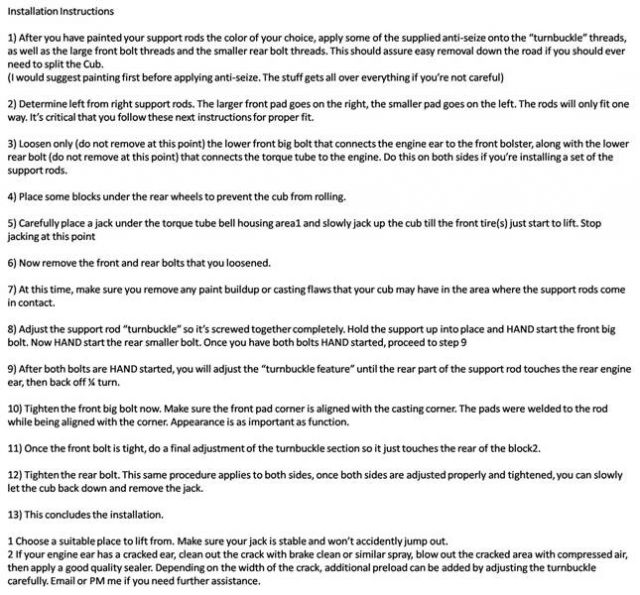
Here's what happens when you try to make it a picture.

normal_Support_Instructions.jpg
 
I wonder why it did away with the red highlighted text?? and changed the location of the header?? and the size of the footnotes?? Dumb computers :D
 
Rick,
I'm guessing that it removed (or didn't copy) the formatting in the original document. Just the text.
 
Mr E":3gwka862 said:
Rick,
I'm guessing that it removed (or didn't copy) the formatting in the original document. Just the text.
Roy, your guessing right. (Dumb computers)
 
Back
Top